

Five Ways
Subscribe to my newsletter and get a free story!
Share this:

Documents of Tabat: Artists of Tabat

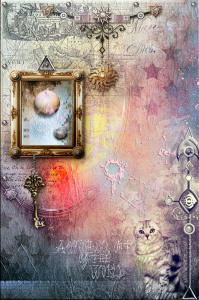
abstract image
What are the documents of Tabat? In an early version of the book, I had a number of interstitial pieces, each a document produced by the city: playbills, advertisements, guide book entries. They had to be cut but I kept them for web-use. I hope you enjoy this installment, but you’ll have to read Beasts of Tabat to get the full significance. -Cat

An Instructive Listing of the Major Artists of Tabat, being Pamphlet #5 of the series of “A Visitor’s Guide to Notables of Tabat,” Spinner Press, author unknown.

Tabat’s art tradition is well established, and not a mere copy of the practices and schools of the Old Continent, as has been charged against the artists of Verranzo’s New City. Tabat’s artists build upon the traditions of the past while innovating and creating anew in a way that reflects the diversity and history of the city. When making conversation about the city’s art, it is useful to know the names of its leading figures.

1The cousin of famous Gladiator Bella Kanto, Leonoa Kanto is a figure in her own right, known for an eye that catches remarkable depth of detail and a willingness to speak about her work and how it relates to the day’s influences unmatched by other artists.

Descendent of a long line of sculptors and artists, Coe Firaubo has produced statues that adorn the Ducal gardens and the College of Mages grounds, where his most famous work, “Truth defeats the Serpents of Falsehood,” is situated.
An artist who has only recently risen to prominence, Etaya Wain uses nothing but natural elements in his artwork, employing homemade dyes and natural substances, many of them specifically taken from the north and celebrating its influence on Tabat.

Tailuaba Cloudseeker chooses to draw on supernatural influences (and magical animals) in the creation of her work, and both her subjects and her methods reflect her former Training as a Mage.

All of Tabat has lately been buzzing about unknown artist Flora, whose work is made of dried flowers, stuffed Fairies, and other creative taxidermy. The work is sold through Bernarda Manycloaks’ gallery, which has refused to disclose anything more about the artist and his or her work.

***

Love the world of Tabat and want to spend longer in it? Check out Hearts of Tabat, the latest Tabat novel! Or get sneak peeks, behind the scenes looks, snippets of work in progres, and more via Cat’s Patreon.

#sfwapro

4 Responses

Leave a Reply

Your email address will not be published. Required fields are marked *

Get Fiction in Your Mailbox Each Month

Want access to a lively community of writers and readers, free writing classes, co-working sessions, special speakers, weekly writing games, random pictures and MORE for as little as $2? Check out Cat’s Patreon campaign.

Want to get some new fiction? Support my Patreon campaign.


"(On the writing F&SF workshop) Wanted to crow and say thanks: the first story I wrote after taking your class was my very first sale. Coincidence? nah….thanks so much."

~K. Richardson

You may also like...

Social Media: Pinterest Analytics and Links for 3/18/2013

August 8, 2015 edit: Hey folks, Pinterest has changed their analytics. Here’s the resource I used to update mine: https://help.pinterest.com/en/articles/pinterest-analytics. And for what it’s worth, I realized a lot of you were looking for info and stumbling across this through using them so they’re worth paying attention to!

Pinterest has rolled out Pinterest Analytics. To add it to your site in order to see what’s getting pinned, you need to verify your site. Here’s the instructions for doing so.

Pinterest Analytics

Some notes: even after I’d verified, Analytics wasn’t appearing in the upper right-hand corner as specified. I logged out and back in, and then chose the “Switch to the New Look” option. At that point, I went back and read the instructions and realized Analytics will not work until you have switched over to the new look, which to me seems pretty similar to the old look.

I didn’t see any data on there at first, just the message, “We don’t have any data yet! Please wait for us to calculate it for you,” but I could see the options: Site Metrics, Most Recent, Most Repinned, and Most Clicked, as well as an Export button (always so handy). A day later, the same message was still displaying, but when I drilled down to look at the past seven days, I found I did have some data for the time since I’d validated my website. Pinterest Analytics aren’t semi-real time, the way Google Analytics are. Today’s data is not available until tomorrow.


Site metrics Pinterest will show you, along with my scores for the first few days:

Pins/Pinners:
Pins is the number of times people have pinned from your site, i.e. bookmarked a particular page by pinning an image from it. Pinners is the number of people who have done this. So these are people who are not accessing your site through Pinterest (at least they don’t have to be), but who are using Pinterest to save bookmarks. I a single individual pinned five pages from your site, pins would be five, pinners would be one.

  • Day one: 1 pin from 1 pinner
  • Day two: 0 pins, 0 pinners
  • Day three: 0 pins, 0 pinners
  • Day four: 0 pins, 0 pinners
  • Day five: 5 pins, 3 pinners

Repins/Repinners:
Repins is the number of times your content was repinned, meaning someone saw a page that had already been pinned on Pinterest and decided to save it to one of their boards. Repinners is the number of people who did this. So if someone pinned two pages, and one person repinned both of them, repins would be two while repinners would be one.

  • Day one: 0 repins, 0 repinners
  • Day two: 10 repins, 10 repinners
  • Day three: 2 repins, 2 repinners
  • Day four: 2 repins, 1 repinner
  • Day five: 3 repins, 3 repinners

Impressions/Reach:
Impressions is the number of times your image(s) appeared to someone on Pinterest, either in the main feed or through viewing a board or search results. Reach is the number of people who saw one or more of your image. I’ve bolded day five’s result, which surprised and pleased me.

  • Day one: 247 people saw 474 total images
  • Day two: 324 people saw 1063 total images
  • Day three: 242 people saw 1347 total images
  • Day four: 159 people saw 247 total images
  • Day five: 856 people saw 2957 total images.

Clicks/Visitors:
Clicks is the number of times people clicked on an image and viewed your site. Visitors is the overall number of people who did so.

  • Day one: Three images were clicked on, each time by a different person. As a note of interest, Google Analytics claims only one visitor from Pinterest that day.
  • Day two: Eight images, eight different visitors. (Google Analytics reports 6.)
  • Day three: Twelve images, one visitor. (Google Analytics reports 4.)
  • Day four: Two images, two visitors. (Google Analytics reports 2.)
  • Day five: Three clicks, three visitors. (Google Analytics reports 3 as well.)

Factors that might have affected those numbers:

  • Day three: I re-organized my boards so one with a lot of links pointing back to my site was in the top row. I submitted that board as a StumbleUpon bookmark. And I made one of my boards, fabulous female protagonists, a group board and invited some other people to pin to it.
  • Day four: I was completely absent from Pinterest activity.
  • Day five: I pinned a new piece from my site onto a personal board that collects similar pieces from my site.

The most repinned images are images attached to pieces with interesting content. The most repinned one is also one of the most popular pages on my site, 5 Things to Do in Your First 3 Paragraphs. This emphasizes one of the most important points for anyone working with SEO and web traffic stuff: good content is the most crucial thing.

And it’s also interesting to note the discrepancies between what Pinterest and Google Analytics is reporting, which emphasizes something about this sort of investigation: the numbers may be fuzzier than you think they are.

So why would you want to know any of this? Mainly to know if Pinterest is a successful way to drive traffic. It looks to me, based on this, that it’s quite capable of driving traffic and I really like those (relatively) high Impressions/Figure. Beyond that, it’ll let me know if some images are consistently getting pinned more often (or less often) so I can try to figure out why in order to use that knowledge when employing images in the future.

Why be interested in Pinterest as a social medium overall? Well, the jury’s still out in some ways. But it offers a chance to organize information in a new way. I’ve been planning to write up all my class descriptions on the blog and add them here, for example. There’s also some weird gender stuff going on around popular perceptions of it that someone needs to take apart (imo). Here’s an infographic about who’s using Pinterest.

Are you using Pinterest? If so, how do you use it?

Recent Social Media Links of Interest:

WordPress is looking to the future and will be doing more content curation. A lot of folks are hosting their blogs on WordPress and may want to look and see what has a chance of affecting them.

Facebook Changes: Facebook’s redesigned their news feeds. What are they and how do they affect reaching readers? Facebook’s also acquired storytelling social network Storylane.

Twitter: A guide to some Twitterspeak, some instances of which I’m not convinced are actually used by anyone.

On the tools side of things, I’ve been messing with Followerwonk. I’ll write that up next week.

...

Blogging on YouTube: Some Basics

Last week I talked about how blogging on Youtube can benefit writers, so I wanted to cover some of the Youtube basics necessary for a writer who wants to learn how to use it for self promotion. If you’re already technically savvy, much of this post will already be obvious to you, but the thinking about researching what others in the field are doing that’s mentioned at the end would still be a good practice.

First off, create a YouTube account. When picking your username, try to find something close to the one you use on your website. I use catrambo, which is the same username I use on Facebook, Twitter, and most other social networking sites. You want a name that your watchers can connect with your books, so they can find them later on.

YouTube has some social network functions. You can use your account to comment on or “like” other users’ videos and make lists of your favorite videos. You can subscribe to other people’s video streams in order to get notifications when they add new content. Buttons underneath videos allow you to share favorites with other social networks, including Facebook, Orkut, StumbleUpon, Twitter, Tumblr and many more. You can even set your account to publish updates to networks when you like a video or add it to a list as well as when you upload your own videos. Check here for some additional Youtube essentials.

When you start uploading videos to your account (and the post on that is not yet written) , you’re creating your YouTube video channel, which others can subscribe to. You can customize your channel (click on your account name in the upper right hand corner and when a menu appears, select “My Channel”) by giving it a name, modifying the colors and choosing what information to display on your channel’s page, such as event dates, a list of YouTube friends, and who’s subscribed.

But before you start making videos, spend some time poking around and seeing what others in your field are posting to YouTube. You’ll see commentary on book covers, book trailers, book reviews, interviews, readings, news magazines, and more.

Such research will serve you in good stead when you can thinking about what sort of content you want to be using for your blogging on Youtube. But for now – go watch a video or five, all in the name of research.

...

Skip to content